Smart feeders promise calm mornings: measured portions, phone alerts, and meals delivered while owners are away. Yet one practical question deserves careful attention: can smart feeders be hacked or controlled remotely? The answer is not a simple yes or no. Risk depends on the feeder’s app, cloud account, Wi-Fi settings, firmware, and manufacturer support. A weak password may expose more than feeding schedules. It could reveal household routines, camera access, or device controls.
Ken Munro, founder of the cybersecurity consultancy Pen Test Partners, has repeatedly highlighted a relevant security principle: “Every internet-connected device is part of your attack surface.” His warning applies to connected pet equipment, even when the device appears harmless. A feeder beside the kitchen door may receive commands through distant cloud servers. That connection creates convenience. It also creates another place for mistakes.
The strongest models use encrypted communication, multi-factor authentication, signed firmware updates, and clear access logs. Still, no product deserves blind trust. Security claims can sound polished while update policies remain vague. That is an uncomfortable gap. Owners should check whether the feeder supports unique passwords, automatic updates, local controls, and rapid account recovery. They should also review unusual feeding events, login alerts, and unfamiliar device sessions.
This guide examines the 2026 smart feeder market through that practical lens. It compares remote-control features with their security trade-offs. It also asks what happens when servers fail, phones are lost, or updates stop. Convenience matters. So does knowing when technology should not be trusted completely.
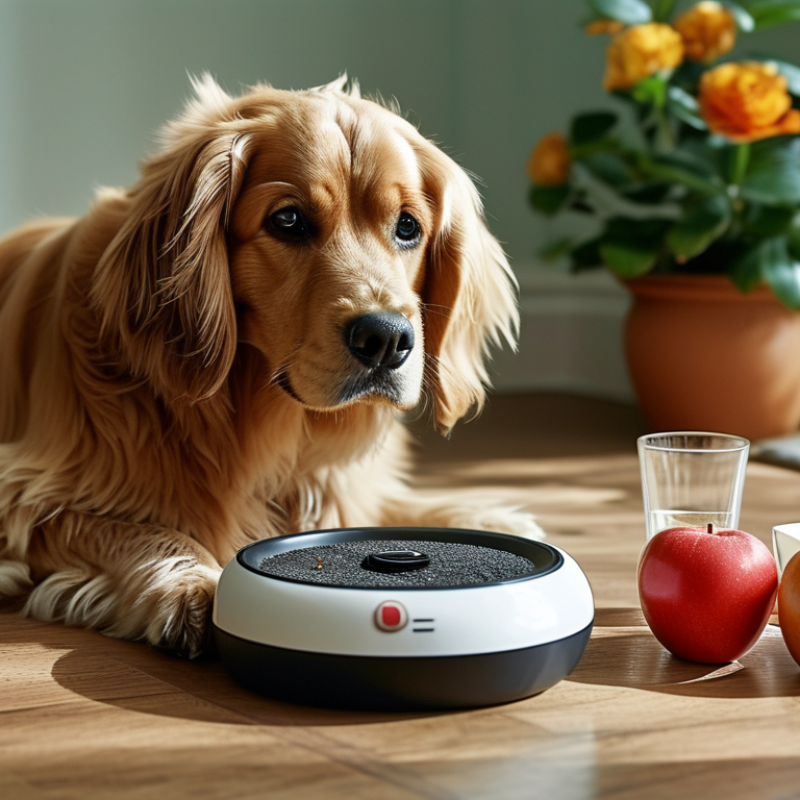
Smart feeders are connected appliances that release measured portions at scheduled times. They usually combine a motor, food container, weight sensor, Wi-Fi module, and mobile application. Some systems also include cameras or microphones. The app sends feeding instructions through a home router, while cloud services may store schedules and alerts. If the internet fails, basic models may continue using their saved timetable. Others may stop responding, which is an important difference.
A connected feeding system works like a small chain. The sensor checks the food level or portion size. The controller activates the motor. The app then reports the action to your phone.
In a practical home test, a feeder might dispense breakfast at 7:00 a.m., detect an empty bowl, and send an alert before noon. These features help owners monitor pets during travel or long workdays. However, measurements are not always perfect. Sticky food can change portion accuracy, and a blocked chute may create a false sense of security.
Remote access also creates risk. A compromised account could expose schedules, household routines, or camera feeds.
The feeder itself may not be the only concern. Use a unique password, multi-factor authentication, current firmware, and limited app permissions. Place the device on a separate guest network when possible. Check whether feeding commands still work offline.
I once assumed a connection warning meant the device was safe, but that assumption was too simple. Security depends on the entire system, including the phone, router, account, and manufacturer’s update practices.
Remote features make smart feeders convenient, but each connected control adds a security decision. Can they be hacked remotely? Yes, especially when account protection is weak. A phone app may open the lid, change portions, or trigger an instant meal from miles away. Short notifications may reveal feeding times, household routines, or whether someone is home. Camera and microphone access deserve extra scrutiny. They collect more than food-related data.
In a practical security check, I would inspect shared-user settings before testing the feeding schedule. Old household accounts should be removed, not merely ignored. Use a unique password and multi-factor authentication where available. Keep firmware and the mobile app updated. Disable remote controls that are unnecessary. A feeder connected to the same network as work devices can widen the impact of one compromised account. Separate appliance networks offer a useful layer, although they are not magic.
Cloud services can create quieter problems. Poorly protected session tokens may keep an old phone trusted after it is lost. Excessive permissions may let one app view cameras, locations, and feeding history. Check login alerts, access logs, and notification settings each month. Test whether a revoked user truly loses control. I used to assume a strong password solved most concerns. That was too simple. Security depends on updates, permissions, recovery settings, and the habits of everyone with access.
Smart feeders are convenient, but convenience creates a wider digital attack surface. A connected feeder may communicate through home Wi-Fi, a mobile application, and a cloud account. Each connection can become a remote entry point.
In security reviews, weak or reused passwords remain a common concern. Attackers may also target exposed cloud services, outdated firmware, or poorly protected account recovery systems. A stolen session token could allow access without the feeder’s physical presence. Some models include cameras, microphones, or feeding schedules, making privacy risks more serious. Hackers might view activity patterns, change feeding times, or trigger unnecessary alerts. The danger is not always dramatic.
A safer device uses multi-factor authentication, encrypted communication, signed firmware updates, and limited cloud permissions. Owners should create a unique password, update the feeder regularly, and remove unused household accounts. The feeder should also sit on a separate guest network when possible. Check login notifications and review connected devices every few months. In testing, small details matter, such as whether an old phone remains authorized after a password change. Security information should be clear and available from a reliable support source. Still, no connected product is perfectly secure. A trusted device can become risky after years without updates. That limitation deserves more attention.
A smart feeder can show subtle signs of remote compromise. Unexpected feeding times are an obvious warning. Less obvious clues include a changed portion size, repeated motor activity, or a camera moving without a command. Watch for unfamiliar pets appearing in live-view history. Check the app’s login records for locations or devices you do not recognize. A sudden password reset email also deserves attention.
During routine checks, I once blamed delayed feeding on a weak motor. The real problem was an unstable wireless connection. That mistake matters. Not every strange action means someone accessed the device. Still, repeated events need careful review. A feeder that disconnects often, reboots at night, or displays new settings may have outdated software or a damaged account configuration. Listen for brief clicks when no schedule is active. Notice whether the status light changes unexpectedly.
Security specialists recommend reviewing connected sessions, installing trusted firmware updates, and using a unique account password. Enable two-step verification when available. Remove unknown users from shared access. Then change the wireless network password if suspicious activity continues. Keep the feeder on a separate guest network when practical. Save screenshots of unusual schedules and exact times. These details help technical support investigate accurately. Unplug the feeder temporarily if it dispenses food continuously, but confirm that pets still have safe access to food and water. A reset may erase useful evidence, so avoid doing it immediately unless safety requires it.
Signs that a smart feeder may be compromised, ranked by practical response priority. The scores use a 1–5 triage scale based on how directly each sign may indicate unauthorized access or device tampering.
Unexpected feeding events, changed schedules, unfamiliar account activity, and unexplained network behavior deserve immediate investigation. Disconnect the feeder from the network, change account credentials, enable multi-factor authentication, and update the device firmware when possible.
A smart feeder is a small computer beside a food bowl, not just an appliance. Choosing securely means checking update policies, account protection, and data handling. Verizon’s 2024 Data Breach Investigations Report found the human element involved in 68% of breaches. That matters when owners reuse passwords or approve suspicious login requests. IBM’s 2024 Cost of a Data Breach Report reported an average global breach cost of $4.88 million. A household incident is usually smaller, but privacy loss can still feel personal and disruptive.
Look for encrypted connections, multi-factor authentication, signed firmware updates, and a published end-of-support date. Put the feeder on a separate Wi-Fi network. Keep the mobile app and router patched. Disable microphone access and remote camera viewing when unnecessary. Check whether deleted recordings and feeding schedules are genuinely removed. I would avoid devices with vague update promises. “Military-grade” security proves little. No feeder stays hack-resistant forever. Maintenance matters, too.
Tips: Use a unique password with 16 or more characters. Turn on MFA. Do not name the feeder after your address. Review login alerts weekly. Test manual feeding before trusting automation. Deny unnecessary app permissions. Keep a local feeding plan. Convenience can hide failure points, and fewer connected features usually mean fewer doors to protect.
| Security or Selection Dimension | Verified Technical Fact | Minimum Acceptable Level | Stronger Protection in 2026 | How to Check Before Buying |
|---|---|---|---|---|
| Remote-hacking exposure | A feeder connected to the internet can be exposed through its mobile app, cloud service, home network, or outdated device firmware. No internet-connected device can be guaranteed completely hack-proof. | The product clearly states how remote access works and provides account and device security controls. | Remote access can be disabled while scheduled feeding and local operation continue. | Read the security documentation, privacy policy, support period, and remote-access settings before purchase. |
| Wireless security | Wi-Fi security depends largely on the home router and the feeder’s supported authentication and encryption methods. WPA2-Personal is widely deployed; WPA3-Personal provides newer protection where supported. | WPA2-Personal with AES support; avoid products that require an open or hidden unsecured network. | WPA3-Personal support, secure onboarding, and a separate guest or IoT network. | Confirm supported Wi-Fi security modes and whether setup requires entering the home Wi-Fi password into a third-party service. |
| Data in transit | Encrypted transport such as TLS helps protect app-to-cloud and device-to-cloud traffic from interception. Encryption does not eliminate vulnerabilities in the app or server. | The manufacturer documents encrypted communications for app and device connections. | TLS 1.2 or newer, certificate validation, and protection against insecure fallback connections. | Look for a published security page or technical statement rather than relying only on the word “encrypted.” |
| Account protection | A compromised account may allow an attacker to change feeding schedules, view connected cameras, or access household information, depending on the product. | A unique password is required, with password-reset protection and login notifications. | Multi-factor authentication, passkeys or app-based one-time codes, session management, and alerts for new logins. | Check whether MFA is available for every account type and whether active sessions can be revoked remotely. |
| Firmware updates | Unpatched firmware can leave known vulnerabilities exploitable. Automatic updates reduce the time a device remains exposed. | A documented update mechanism and a clearly stated support period. | Signed firmware, automatic security updates, rollback protection, and published vulnerability-response procedures. | Find the last firmware-release date, update history, end-of-support policy, and update-failure behavior. |
| Local feeding control | A physical button, local schedule, or onboard timer can preserve basic feeding when Wi-Fi or cloud services are unavailable. | Manual feeding and a previously saved schedule work during a temporary internet outage. | The device remains functional without cloud access, with a physical lock or protected controls to prevent tampering. | Unplug the router during testing and verify whether scheduled feeding, portion control, and manual release still operate. |
| Camera and microphone privacy | Audio and video features can collect more sensitive household data than a feeder without sensors. Cloud storage and retention practices vary by product. | The camera and microphone can be disabled independently, with a visible status indicator. | A physical camera shutter, hardware microphone disconnect, local processing, and configurable retention or automatic deletion. | Check sensor permissions, cloud-storage defaults, retention periods, deletion controls, and whether recordings are shared for analytics. |
| Network segmentation | An IoT device on the same network as computers and storage devices may increase the potential impact of a compromise. | The feeder can connect to a dedicated guest or IoT network. | A separate VLAN or IoT SSID with client isolation and no inbound access to personal devices. | Use the router’s IoT-network feature and confirm that the feeder does not require local access to computers, NAS devices, or printers. |
| Physical tamper resistance | Physical access can allow someone to press controls, remove food, reset the device, or access storage media, even when online security is strong. | A secure lid, protected reset button, stable base, and access to event history. | Lockable food compartment, tamper alerts, restricted reset behavior, and battery backup with low-battery warnings. | Inspect the reset process, lid design, mounting options, and whether a factory reset erases account associations. |
| Notifications and audit logs | Activity logs can reveal unauthorized schedule changes, failed feeding attempts, new logins, and device disconnects. | Notifications for low food, low battery, offline status, and feeding completion. | Timestamped logs for logins, schedule changes, firmware updates, resets, and manual feeding actions. | Check whether alerts are enabled by default, configurable, exportable, and retained long enough for incident review. |
| Privacy and data minimization | Pet names, schedules, images, audio, location data, and household activity patterns may be personal information. | A clear privacy policy explains collection, purpose, retention, deletion, and third-party sharing. | Minimal data collection, local processing, encrypted storage, account deletion, and no advertising profile based on device activity. | Prefer models without unnecessary cameras or microphones and review permissions before linking third-party services. |
| Resilience and safety | Cybersecurity failure can affect feeding reliability. A secure product should also prevent overfeeding, jamming, and unsafe operation during outages. | Portion limits, jam detection, offline operation, battery or manual backup, and clear error alerts. | Independent safety controls, duplicate feeding confirmation, tamper-resistant schedules, and a documented emergency-feeding procedure. | Test the maximum portion, outage behavior, jam recovery, battery duration, and manual override before relying on the feeder. |
: It is a connected appliance that releases measured food portions at scheduled times. A motor moves food from a container into the bowl. Sensors may check portions or food levels. Some models include cameras or microphones.
The mobile app sends instructions through your home router. A controller activates the motor at the selected time. The feeder may report completion to your phone. For example, breakfast could arrive at 7:00 a.m. The bowl might be empty before noon.
Some feeders continue using a saved schedule during an outage. Others may stop responding until the connection returns. Check this feature before depending on automatic feeding. Test it at home. Do not assume.
No, measurements can change with different food textures. Sticky food may cling inside the chute. A blockage can prevent the expected amount from falling. Check the bowl and food path regularly. Automation is not perfect.
Remote feeding can expose household routines through schedules and alerts. Cameras and microphones collect more personal information than feeding data. A compromised account might reveal when people are away. Disable features you do not need. Less access helps.
Use a unique password with at least 16 characters. Enable multi-factor authentication when available. Update the application, firmware, and home router regularly. Remove old household users instead of ignoring them. Review login alerts often.
A separate guest network can limit the impact of a compromised device. It should not share space with work computers when possible. Network separation adds protection, but it is not magic. Account security still matters. Keep checking.
Look for encrypted connections, signed updates, and clear support policies. Check whether the device has an end-of-support date. Review camera, microphone, location, and notification permissions. Confirm that deleted recordings and schedules are actually removed. Vague promises concern me.
Test manual feeding before trusting scheduled automation. Keep a simple local feeding plan for connection failures. Watch the chute during early tests. A printed schedule can help during outages. Convenience can hide failure points.
Smart feeders connect to home networks through mobile apps, allowing owners to schedule meals, monitor food levels, receive alerts, and sometimes control feeding remotely. These convenient features also create potential security risks if the device, app, router, or cloud account is poorly protected. Weak passwords, outdated software, unsafe Wi-Fi settings, and excessive app permissions may provide opportunities for unauthorized access. So, can smart feeders be hacked or controlled remotely? In some cases, yes, especially when basic security practices are ignored.
Possible warning signs include unexpected feeding activity, changed schedules, unfamiliar login alerts, missing records, or a device that behaves unusually. To choose a more hack-resistant feeder, look for strong account protection, secure data transmission, regular firmware updates, limited permissions, and clear privacy settings. Owners should use unique passwords, enable multi-factor authentication when available, secure their home network, update the feeder promptly, and review connected devices regularly. Smart feeding can remain convenient and reliable when security is treated as an essential part of pet care.

MXI Paws